> LeekScript Tutorial
You're coding your AI, happy as a clam. The lines scroll by, and very logical variable and function names such as sfatyu_2 follow one another. Life is good... Suddenly! The "save" key is pressed and your code is checked by the compiler. It stares back at you, intensely... And then, disaster strikes! One (or more!) big red lines appear at the bottom of your editor. What could these strange, esoteric magic formulas possibly mean?
This guide will reveal the truth, so that you too can join the ranks of those in the know.
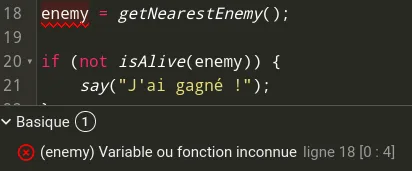
Who forgot to declare their variable? A quick look back at the Variables tutorial and the Functions tutorial may come in handy.
Here, the enemy variable is not declared. You first have to create it with the var keyword. Fix: var enemy = getNearestEnemy();
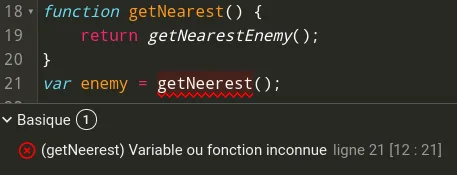
And what about this one? !ex unknown func
Well, the author is just a monkey with a keyboard, and didn't notice they had used getNeerest (which doesn't exist) instead of getNearest, declared just above.
You can't redeclare a variable with the same name as a variable that has already been declared.
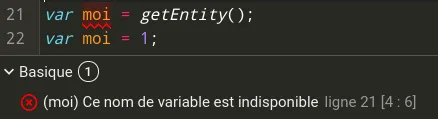
Fix (ugly): var moi2 = 1 A better fix would be to use names that really match the role of your variables.
Careful: This error can also appear because of the name of a global variable.
You'll also run into this error if you use a comma instead of the sacred semicolon: 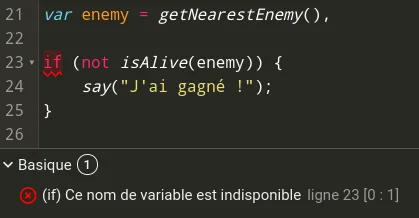
Fix: var enemy = getNearestEnemy();
This is because of inline variable declarations: var variable1 = 1, variable2 = 2; is perfectly valid syntax (see Variables).
As with the previous error, you can't reuse a function name that's already taken.
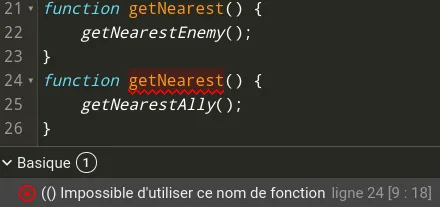
Fix (very ugly): function getNearest2() {
So, trying to use the name of a global variable as a parameter name, are we? Do you know what that could have cost you if you'd run into one of my less friendly colleagues?
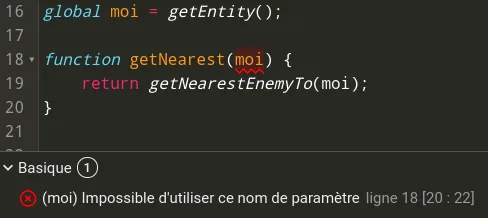
Fix:
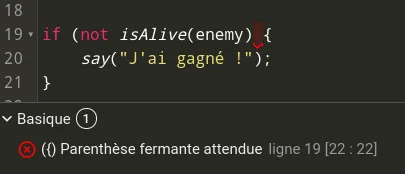
As the error message says, a parenthesis is missing on the indicated line. !wrong if
Here, line 19 of the code should be if (not isAlive(enemy)) {
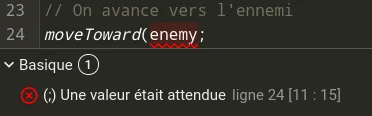
A function call that was never closed?? This is what you get! !value expected
Fix: moveToward(enemy);
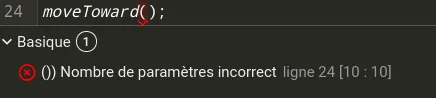
Parameters? What are those? Time to go back to the Functions tutorial!
Here, the moveToward function takes 1 or 2 parameters, and we're giving it 0. Of course, the compiler slaps us on the wrist. Fix: moveToward(enemy); or moveToward(enemy, mp); with mp a number.
Note that you'll get the same error if you give too many parameters to a function (e.g.: moveToward(enemy, mp, thing);).
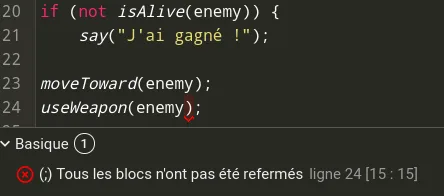
What's a block? Well, it's a section of code surrounded by { }. Here, we opened a block with { without closing it. !blocks not closed
Here, the } is missing after the end of the if. So the compiler points to the end of the current block (here, the end of the file) to tell us we forgot to close all the blocks. Fix:
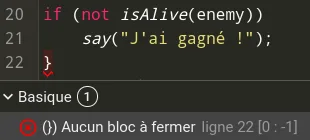
This is the opposite of the previous situation. We closed a block with } without opening it first... !block to close
Fix: if (not isAlive(enemy)) {
Take another trip to the Functions tutorial: even when you have no parameters to pass to a function, you must at least write the parentheses ().
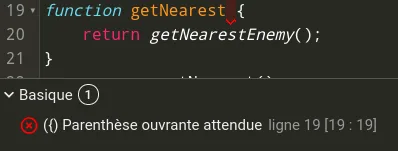
Fix: function getNearest() {
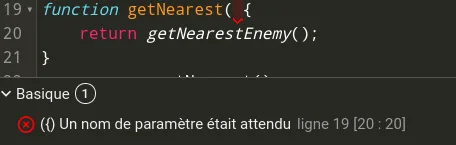
As before: when you declare a function, don't forget to close the parentheses before the {.
Fix: getNearest() {
How about a quick trip to the Loops tutorial? A do-while needs a while at the end of the block.
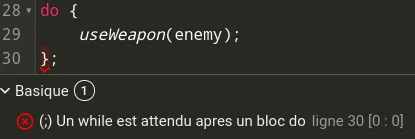
Fix: } while(true);
What do you mean, nobody uses do while?


In both cases, we forgot to give our variable a name. A quick trip to the Variables tutorial wouldn't hurt.
Fix: var myVariable = 1; global myVariable = "Variable";
An else condition (or else if) must always be preceded by an if condition (see Conditions). We're civilized people here! No else without an if, or else you'll get your knuckles rapped.
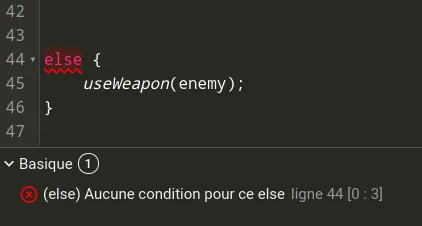
Fix:
You'll get this error when you don't follow the syntax of a particular expression. Here, it's a ternary. If you don't know ternaries, they're a one-line way of writing if {} else {} (see Conditions and Operations).

Fix: (getAliveEnemiesCount() > 0) ? getNearestEnemy() : getEnemies()[0];
What do you mean, this code is useless? How dare you! Do I criticize your code?
A semicolon, we told you! Not quite a period, not quite a comma: a bit of both. The invalid character error will hit you like a ton of bricks.
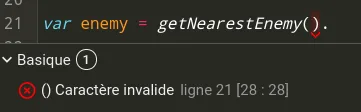
Fix: var enemy = getNearestEnemy();
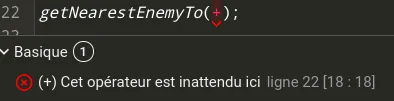
Unexpected? You can say that again! How did you even end up there?? You must not use an operator (Operators) as a variable.
LeekScript only lets you declare functions in the main block: you can't declare a function inside another block.
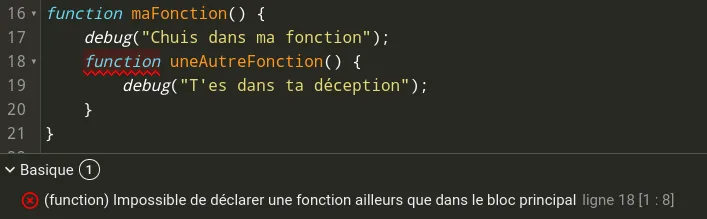
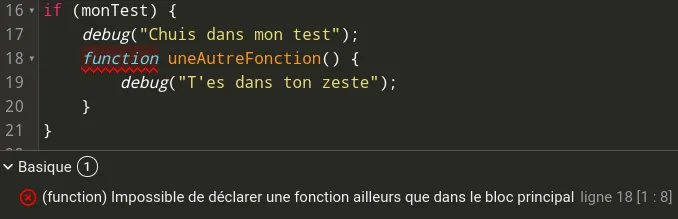
Fix:
There is one special case where you can declare a function inside another one: check out the Functions tutorial.
Same as above, but with global variables! A global variable can't be declared in any block other than the main block. Not in an if, not in a loop, not in a function. Period. Semicolon, even.
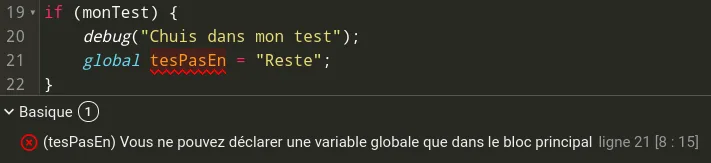
Fix:
Using include is good; using it properly is better! Here, we're trying to include an AI somewhere other than the main block, and the compiler is watching us with scary eyes...
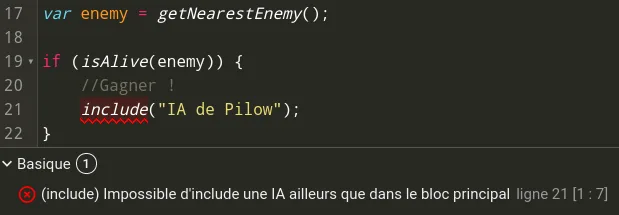
Fix:
Note: The author disclaims all responsibility if you fail to win using Pilow's AI.
This error describes itself very well: break can only be used inside a loop (see Loops)
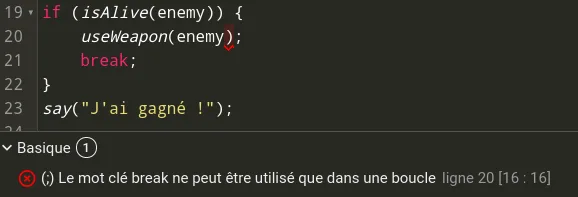
Fix:
Note: This code gives exactly the same result as an if, since the loop is broken on the first iteration. Still, it's pretty ridiculous, isn't it?
Exactly the same error as the one just above, but with continue instead of break.
Note: Use the following code to make Pilow cry and heat up the server room:
In the very specific contest for very long, self-explanatory compilation errors, here's the champion. If you get this error, it means you have an instruction placed somewhere in your code where it will never be executed. Indeed, in the example below, we put the debug after the break instruction, which takes us straight out of the loop!
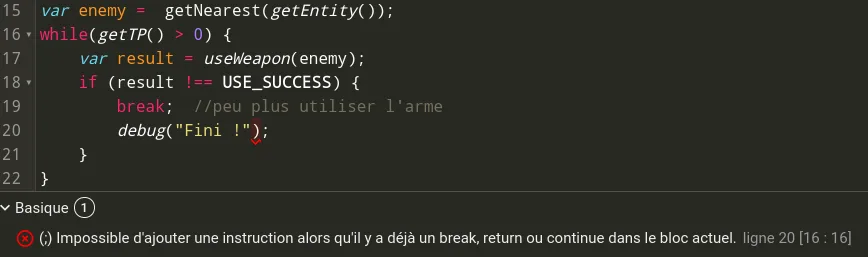
Fix:
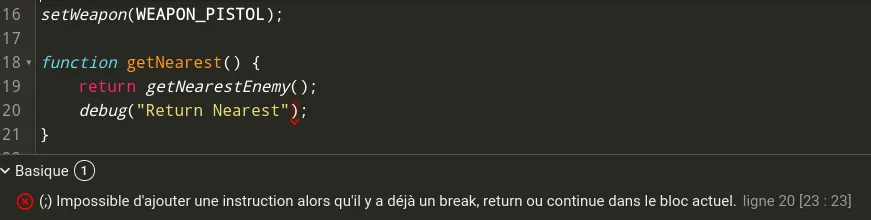
As its description says, this error can also happen with a return or a continue.
Impossible de charger les données du jeu.
Vérifiez votre connexion et réessayez.