> Programming
Why not have some fun trying morphological operations on the map?
Morphological operations come from the field of mathematical morphology. Don't run away! It's extremely simple. In a nutshell, the idea is to use a set (a "list" of objects) to modify another set. In our case, the set to work on is the map, and the "list" of objects is... a list of cells! And that's it!
So, to sum up, we take a set (a map) as input and we output a set (another map).
The most common (and easy to implement!) operations are dilation and erosion, which change the value of a cell based on the state of its neighbors. Choosing "what counts as a neighbor" is another topic, but for Leek Wars, I decided to use the 4 neighbors of a cell.
This is very simplified, but that's the general idea.
To perform morphological operations on the map, we will start by representing our map in memory. Do it however you like! We don't need an elaborate representation, just 0s and 1s to begin with.
To start, we'll mark all the obstacles with the value 1. This gives us the following cells (map used: 304026719): 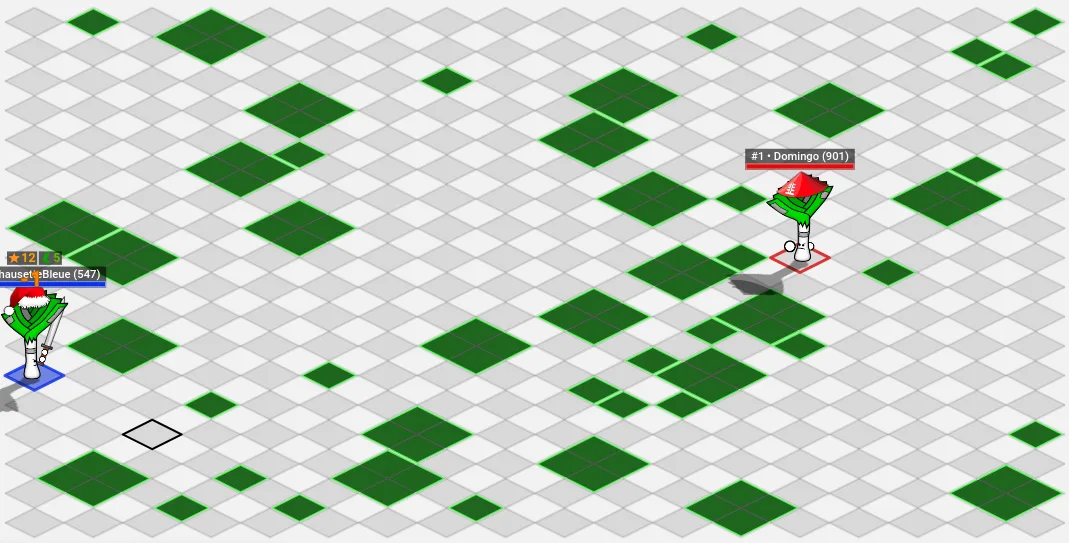 Here the obstacles are colored green, because they are the only cells with a value of 1.
Let's start by implementing a dilation: every cell with at least one neighbor at 1 will have its value set to 1 as well. Just test each neighbor of each cell and set the cell's value to 1 when you come across a neighbor with the value 1. We should get the following result: 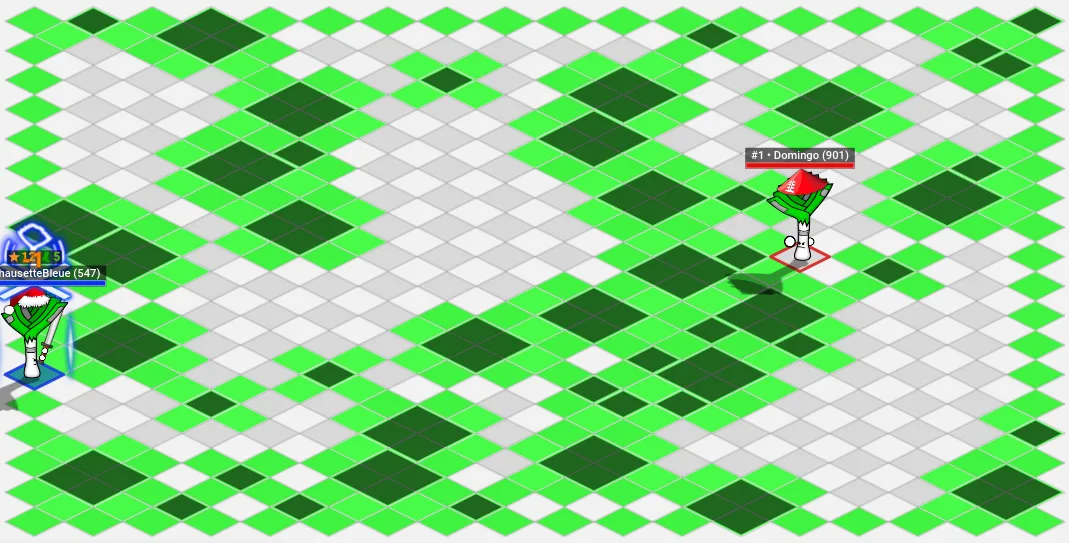 Here I considered that the edges of the map are obstacles, but you don't have to. Notice how the obstacles look dilated, like a melted camembert.
We will then apply an erosion to this map. Erosion is the opposite of dilation: every cell with at least one neighbor at 0 becomes 0. A dilation followed by an erosion is a morphological operation called Closing: this operation creates a "passage" between nearby obstacles. The reverse operation is called Opening, and consists of an erosion followed by a dilation.
In the image below, the cells in red are the ones the erosion will remove: 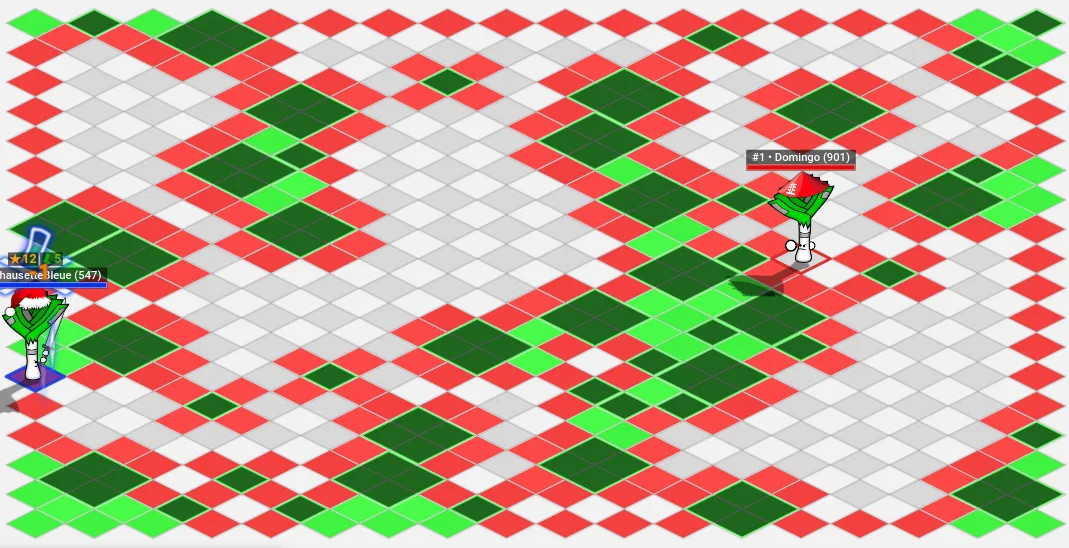
The final result (with the red cells removed) is as follows: 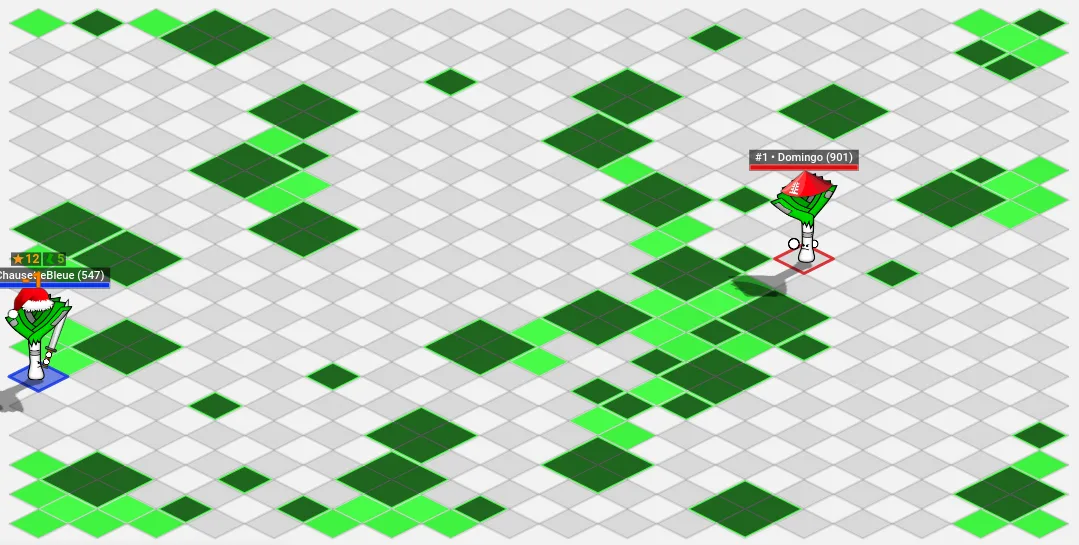 What emerges is a map that picks out the narrow passages close to the obstacles! As simple as that.
To remove the obstacles from it, we could implement other operations, such as an AND and a NOT. For example, an algorithm that applies a NOT (swapping the 1s and the 0s) to the map with the obstacles at 1 will give us a map full of 1s with the obstacles at 0. Then we can apply an AND (if both cells are at 1, return 1, otherwise return 0) to this full map and the map we got earlier with the closing, which sets all the obstacles to 0. Ta-da!
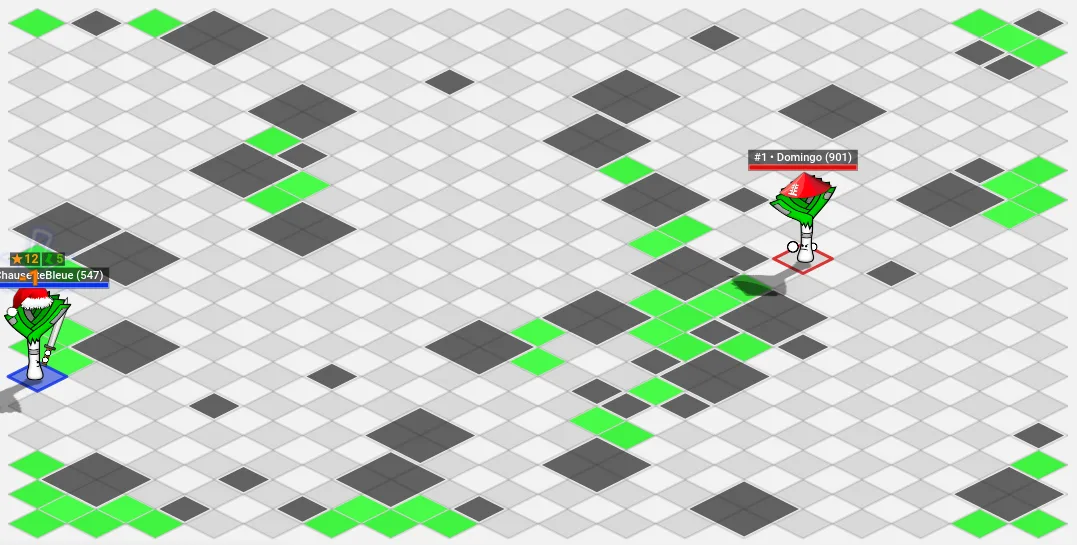
We get a list of cells close to the obstacles. It could be used to detect places where there is little room to move, dead ends, potential hiding spots, ... Try two dilations followed by two erosions, or alternating the two: you will see interesting results.
If this method is implemented well, it uses almost no operations: I implemented it with a map in binary form (see Map in binary form), which only takes about 68 operations per morphological operation.
Using morphological operations therefore lets you quickly analyze the map and extract information from it. Other operations are easy to program and can give interesting results. Now get coding!
Impossible de charger les données du jeu.
Vérifiez votre connexion et réessayez.