Map tutorial ============ > Game Rules
You'll quickly want to find your own way around the Leek Wars map. But to do that, you need to understand how it works.
It may seem strange to you, or even complicated. Yet it is quite simple to use once you understand how it is laid out.
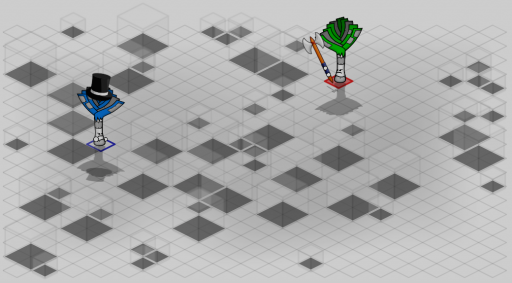
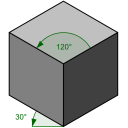
The game map is shown in an isometric view. The cells are squares, and we see them as if we were standing at one corner, slightly above them.
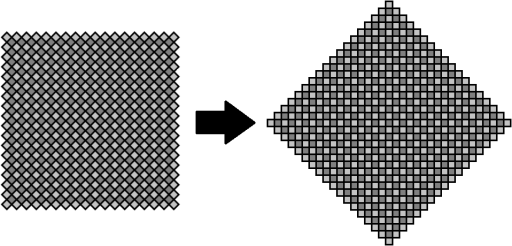
This viewing angle makes the map look rectangular. But if we lay it "flat", we get:
The map is a square tilted at 45° or, to picture it more easily, a diamond.
If we place it on a coordinate system, the cell at the center of the map is at coordinates [0;0]. The corners of the map are at coordinates [0;-17], [0;17], [-17;0] and [17;0].
Because of the shape of the map, we can say that:
Where x and y are the coordinates of a cell, and abs() is the function that returns the absolute value.
The sum of the absolute values of a cell's coordinates can't exceed 17. This means that, for example, cells with coordinates [0;18], [9;12], [-12;10], etc. don't exist.
In Leek Wars, you can work with cell coordinates. The functions getCellX and getCellY return the x and y coordinates of a given cell, respectively. The getCellFromXY function does the opposite and returns the cell located at the coordinates passed as parameters. Be careful: if you pass it coordinates outside the map, the function will return null.
You can also compute the coordinates from the cell's ID yourself:
To find out whether two cells are on the same line, you can use the isOnSameLine function. For diagonals, use the following formula, for two cells with coordinates (x1, y1) and (x2, y2):
Finally, you may need to go through the entire map. But the shape of the map makes it a bit trickier to go through using coordinates.
With coordinates, you would have to do something like this, for example:
But the map has 613 cells, numbered from 0 to 612.
So you can go through the cells in a much simpler way, which also costs fewer operations:
The shape of the map and the order of the cells give an interesting property that lets you work out a cell from its coordinates: a cell can be found with the formula (306 + 18 * x + 17 * y). So moving one unit along the x axis changes the cell number by 18, and moving one unit along the y axis changes it by 17. This property saves a lot of operations in a number of algorithms, but you have to handle the left and right edges of the map: when trying to move by one cell, you can end up by mistake on a cell on the opposite side of the map!
During your fights, you can display the cell numbers: in the options, check _Show cell numbers_ (to see the numbers) and _Tactical mode_ (to hide the obstacles).
The cells are numbered as follows:
You can check what a given cell contains with the functions getCellContent(cell), isObstacle(cell), isEntity(cell) and isEmptyCell(cell). You can also get all the obstacles of the fight with the getObstacles() function.
Impossible de charger les données du jeu.
Vérifiez votre connexion et réessayez.