
Map tutorial
Map tutorial
> Game rules
You'll quickly want to explore the Leek Wars map on your own. But for that, you have to understand how it works.
Perhaps it seems strange to you, or even complex. However, it is quite simple to use, once you understand how it is arranged.
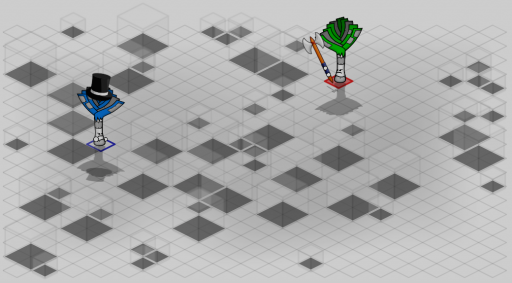
The game map is in isometric view. So the cells are squares, and we see them as if we were placed at a corner, a little high up.
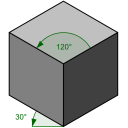
This angle of view may suggests that the map is rectangular. But if we put it "flat", we get:
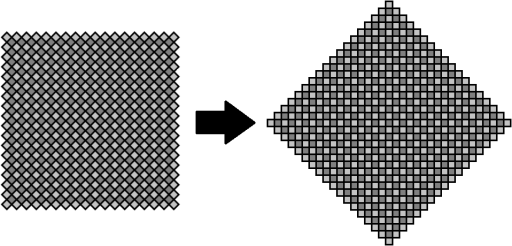
The map is a square tilted at 45° or, more visually, in the shape of a diamond.
If we set the center of the map coordinates to [0;0], then the corners are at coordinates [0;-17], [0;17], [-17;0] and [17;0].
Because of the shape of the map, we can say that:
With x and y, the coordinates of a cell and abs(), the function giving the absolute value.
The sum of the absolute values of the coordinates of a cell cannot exceed 17. That is, for example, cells with coordinates [0;18], [9;12], [-12;10 ], etc. do not exist.
In Leek Wars, you can work with cell coordinates. The functions getCellX and getCellY give respectively the x and y coordinates of a given cell. The getCellFromXY function does the reverse and returns the cell located at the coordinates passed as a parameter. Be careful, if you pass it coordinates outside the map, the function will return null.

Finally, you may need to go through the entire map. But the shape of the map makes it a little more complex to iterate with the coordinates.
Through the coordinates, for instance, you would have to do something like this:
But the map has 613 cells, numbered from 0 to 612.
As a result, we can browse the cells in a much simpler and lesser costly way in operations:
The shape of the map as well as the order of the cells make it possible to obtain an interesting property which makes it possible to deduce a cell from its coordinates: a cell can be found thanks to the formula (306 + 18 * x + 17 * y). Thus, a shift of one unit on the x-axis results in a change in the cell value of 18, and a shift on the y-axis results in a change in the cell value of 17. This property makes it possible to save a large number of operations in a certain number of algorithms, but it requires managing the left and right borders of the map: by wanting to move to one cell, we can by mistake obtain a cell located on the other side of the map!
During your fights, you have the possibility to view the ids of the cells: in the options, you can select the options _Show cell numbers_ (to see the numbers) and _Tactical mode_ (to hide the obstacles).